
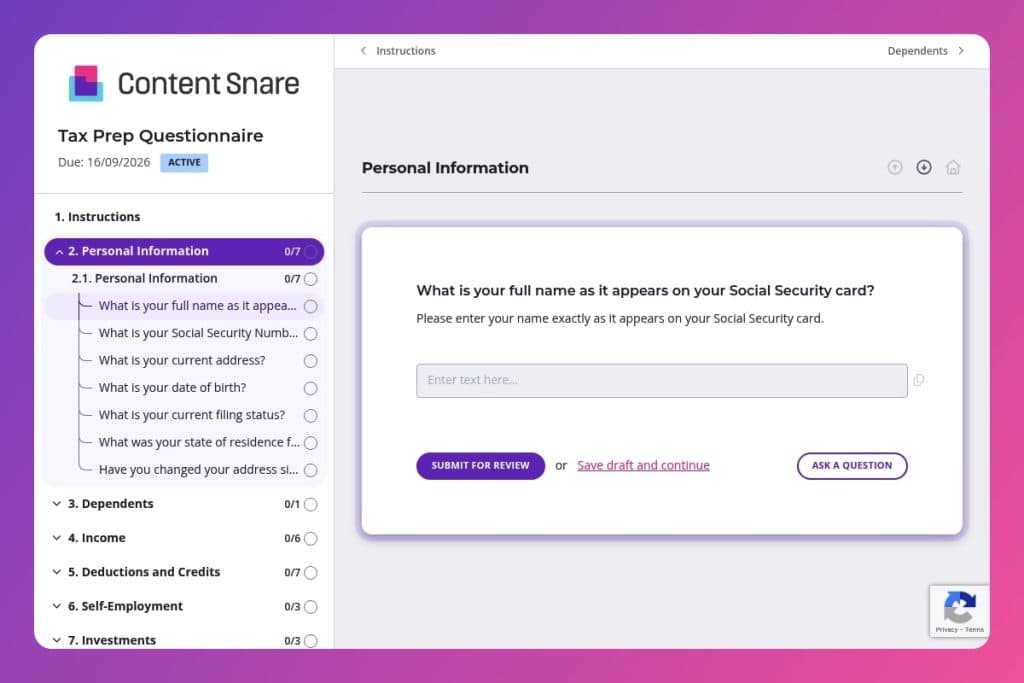


A comprehensive intake form that collects all client information needed to prepare accurate tax returns, including personal details, income sources, dependents, deductions, investments, and required documentation.

Accounting firms, CPAs, tax preparers, and bookkeepers who need to gather complete client information before tax season to eliminate follow-up calls and missing documents.

Send to clients in December or early January before tax season begins, allowing time to gather W-2s, 1099s, and supporting documents well ahead of filing deadlines.
Missing W-2s, forgotten deductions, and incomplete client information turn tax season into a scramble. You chase down documents, field endless follow-up calls, and struggle to piece together accurate returns from incomplete data. It's inefficient, stressful, and entirely avoidable.
A tax prep questionnaire changes everything. This simple form collects every detail you need upfront - personal information, income sources, dependents, deductions, investment activity, and state-specific requirements - so you can focus on preparing returns instead of hunting for answers. We'll show you what to include, how to streamline your process, and give you a free template to use right away. Let's dive in.
Personal Information
Capture identifiers, filing status, and residency to anchor federal and state processing.
Dependents
Confirm dependent eligibility and IDs to drive related credits and compliance checks.
Income
Inventory all income sources, including wage, benefits, foreign, and self-employment items.
Deductions and Credits
Screen for high‑impact adjustments, itemized deductions, and major credits.
Self-Employment
Scope deductible expenses and mixed‑use assets to optimize Schedule C.
Investments
Capture brokerage activity and income characterization.
Other Questions
Check payments, disaster relief, and atypical items that drive special treatment.
Rental Property
Confirm rental activity scope and expense detail for accurate Schedule E treatment.
Documents Needed
Set expectations for prior‑year reference and substantiation across the return.
State-Specific Questions
Surface multistate sourcing and state‑only benefits that affect return combinations.
Send the form well before tax season starts: Get your tax prep questionnaire to clients in December or early January, before the W-2s and 1099s pile up. This gives them time to gather documents without the April deadline breathing down their necks, and you'll avoid the last-minute scramble when everyone needs help at once.
Include a document checklist at the end: After clients complete the questionnaire, provide a clear list of what they need to submit based on their answers - like W-2s for employment income, 1098 forms for mortgage interest, or receipts for charitable contributions over $250. This turns their responses into an actionable to-do list and cuts down on the back-and-forth about missing documentation.
Review submissions within 48 hours and flag gaps immediately: Don't wait until you start preparing the return to discover a client forgot their HSA contributions or left the childcare provider's tax ID blank. A quick review right after submission lets you send a targeted follow-up while the details are still fresh in their mind, saving you both time and frustration later.
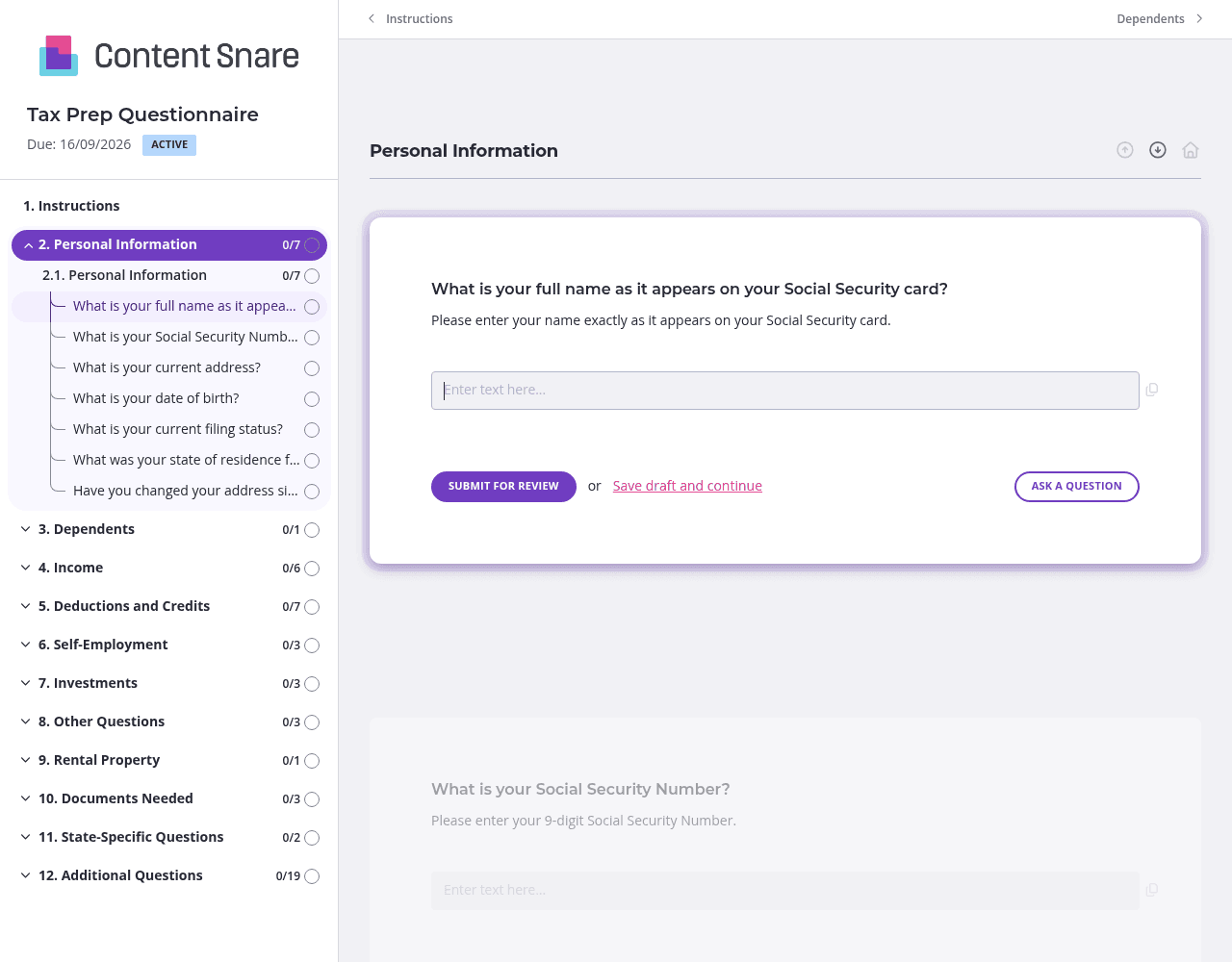
Not every client has rental property, self-employment income, or investment accounts. Content Snare's conditional logic ensures clients only see questions that apply to their situation. When someone answers "no" to owning rental property, all the follow-up questions about rental expenses disappear. The form stays short and focused, which means faster completion rates and less client frustration.
You likely know each client's name, address, filing status, and whether they're self-employed from last year's return. Pre-fill those fields before sending the questionnaire. Clients appreciate not having to re-enter basic details, and you eliminate the risk of typos in critical information like Social Security numbers. Delete questions entirely if the answer never changes year-over-year.
Tax terminology confuses clients. The deductions and credits section asks about HSA contributions, education expenses, and energy-efficient home improvements - topics that need context. Use Content Snare's instruction areas to clarify what qualifies, provide examples, or link to IRS guidelines. A simple note like "Include Form 1098-T for college tuition payments" prevents guesswork and reduces errors.
Tax deadlines don't wait, and neither should your clients. Content Snare sends automatic follow-ups to anyone who hasn't completed their questionnaire, so you don't have to track who's dragging their feet or send awkward reminder emails yourself. You stay on schedule without becoming the nag.
Spreadsheets get lost in email threads. PDFs come back incomplete or illegible. Phone calls and text messages create scattered information with no paper trail. Content Snare centralizes everything in one secure, organized place where you can track progress, send automatic reminders, and ensure nothing slips through the cracks.
Content Snare is ISO 27001 certified and trusted by accounting firms worldwide to handle sensitive financial data. It integrates seamlessly with tools you already use and has earned hundreds of 5-star reviews across G2, Capterra, and the Xero App Store for its ease of use and reliability.
Tax prep questionnaires are just the beginning. Accounting professionals use Content Snare to gather business financials for compilation engagements, collect documentation for audits, onboard new clients with engagement letters and intake forms, and request year-end accounting records from business clients - all without the chaos of email attachments and follow-up calls.


