
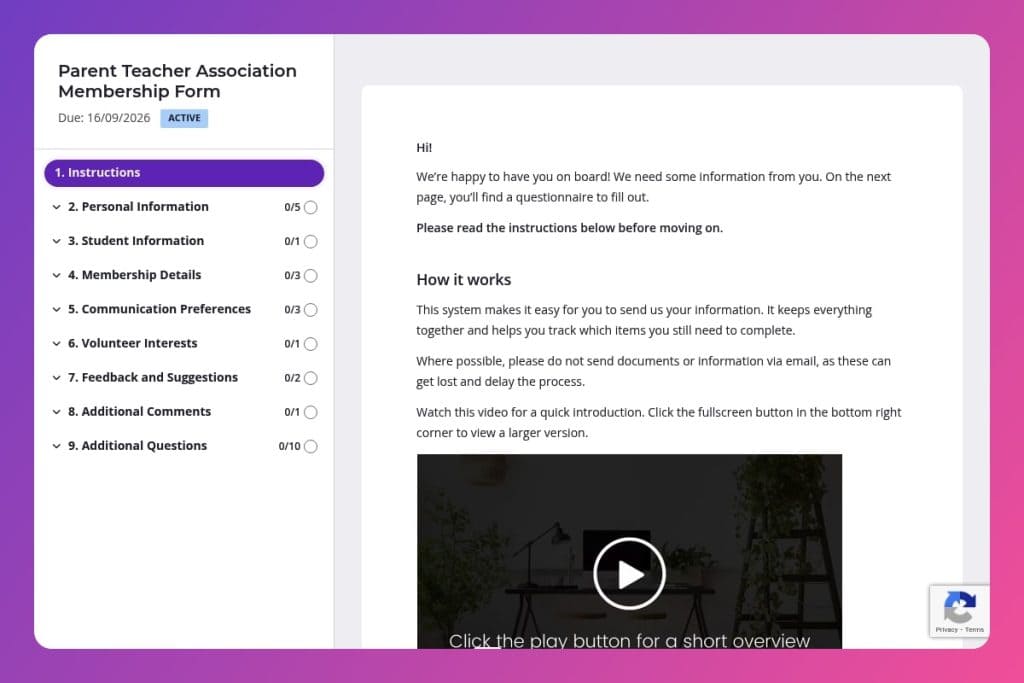


A digital membership enrollment form that collects parent contact information, student details, volunteer preferences, and communication choices for your Parent Teacher Association.

School administrators, PTA leaders, and membership coordinators who need to register families, organize volunteers, and maintain accurate member databases for the academic year.

Send this form in late summer before the school year begins during new family orientation, or at the start of each semester when recruiting members and building volunteer committees.
Coordinating PTA membership shouldn't mean drowning in paper forms, missed contact details, and confusing volunteer sign-ups. Yet every year, school administrators and PTA leaders waste hours chasing incomplete information, manually entering data, and trying to match parents with the right opportunities. A streamlined parent teacher association membership form changes everything - capturing member details, student information, volunteer preferences, and communication choices in one organized place.
This post walks you through exactly what to include in your form, how to use it effectively, and where to find a free template you can customize. You'll discover how the right questions help you understand returning versus new members, align volunteers with their interests and availability, and ensure every family receives updates the way they prefer. Let's dive in.
Personal Information
Capture core contact details and the preferred channel to ensure timely, targeted communication.
Student Information
Link members to enrolled students and understand classroom touchpoints for outreach and support.
Membership Details
Capture membership status, prior PTA experience, and contribution areas to tailor onboarding and committee placement.
Communication Preferences
Set expectations for frequency, topics, and channels to align outreach with member consent.
Volunteer Interests
Assess volunteer intent, activity fit, and availability to staff events and projects.
Feedback and Suggestions
Gather improvement ideas and priority programs to guide planning and budget.
Additional Comments
Provide a catch-all for context or questions that could affect membership engagement.
Send the form before the school year starts: You'll capture families when they're already thinking about school involvement. Launch your parent teacher association membership form in late summer to give parents time to respond without the chaos of first-week schedules.
Use volunteer interests to build targeted committees: Don't just collect preferences and file them away. Review responses to the volunteer activities question and group parents by interest - fundraising, event planning, classroom support. Reach out directly to form small, focused teams where people actually want to contribute.
Follow up personally with members who indicate special expertise: When someone lists accounting skills, grant writing experience, or event management background in their areas of interest, send a quick personal email. A two-minute message acknowledging their expertise and suggesting a specific role makes people feel valued and increases actual participation.
Cross-reference student information with your school database early: Check that grade levels and student names align with enrollment records right after submissions come in. Catching discrepancies now prevents awkward situations later when you're organizing classroom events or sending grade-specific communications.
Create a simple communication matrix from preference responses: Build a spreadsheet showing who wants weekly versus monthly updates, email versus phone contact, and which topics interest them most. This takes ten minutes after you've collected responses but saves you from mass-emailing families who explicitly asked for minimal contact or missing parents who actually want frequent involvement.
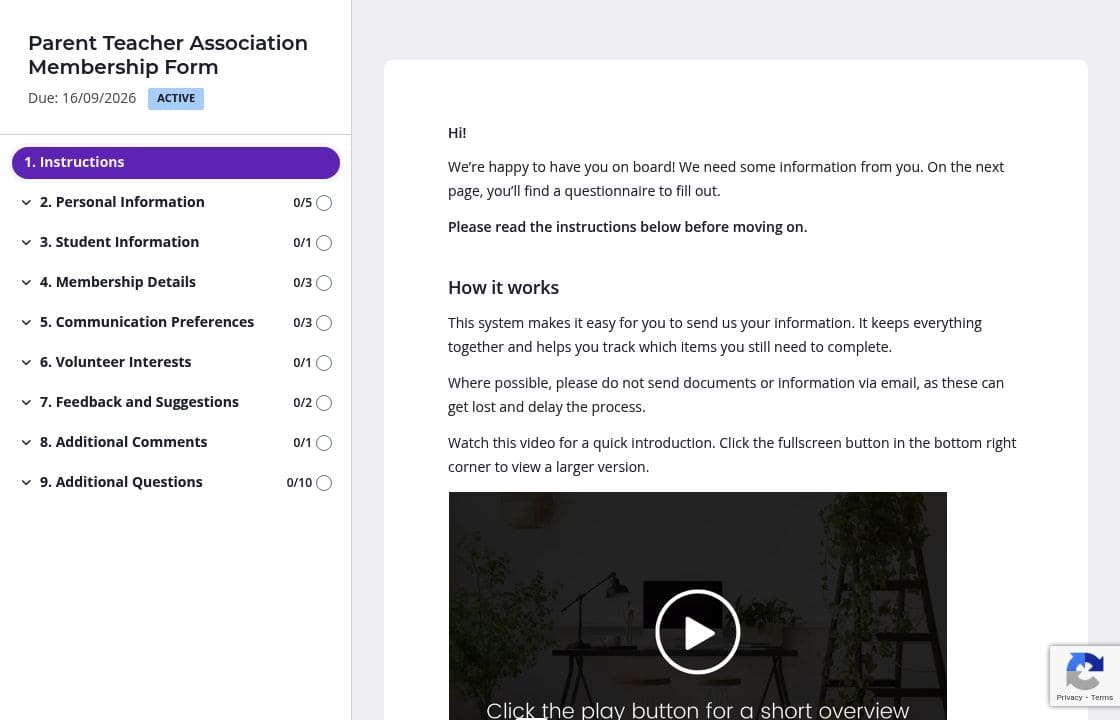
Parents feel overwhelmed when they see 20+ questions at once. Divide your parent teacher association membership form into clear sections: Personal Information on page one, Student Information on page two, then Membership Details and Volunteer Interests on subsequent pages. Each page feels manageable, and families are more likely to complete the entire form when they can see their progress.
Parents often rush through forms and miss important details. Include a brief instruction box at the top of the Student Information section: "Please list each child's full name as it appears in school records, along with their current grade level." Do the same for volunteer interests - clarify whether you're asking about weekly commitments or occasional help. Clear guidance up front means fewer incomplete responses and follow-up emails.
You're already juggling PTA meetings, event planning, and school coordination. The last thing you need is manually tracking who hasn't submitted their membership form yet. Automatic reminders handle this for you - Content Snare sends friendly nudges to families who started but didn't finish, or haven't responded at all. You stay on top of membership numbers without the awkward follow-up emails.
Returning PTA families shouldn't retype their contact details and student information every year. Pull data from last year's submissions and prefill those fields before sending the form. Parents only need to update what's changed - new phone numbers, grade levels, or volunteer preferences. This saves everyone time and shows you value their ongoing involvement.
Paper forms get lost in backpacks. Email chains turn into confusion. Spreadsheets require manual data entry and constant chasing. Content Snare gives you a professional, organized system that automatically reminds families to complete their membership forms, keeps all responses in one secure place, and eliminates the back-and-forth that eats up your volunteer time.
Parents trust the process because Content Snare is ISO 27001 certified and used by thousands of organizations worldwide. You'll find hundreds of 5-star reviews across G2, Capterra, and Trustpilot from people who've ditched their messy collection methods for something that actually works.
The platform integrates with tools you already use, so membership data flows directly into your communication systems without manual export-import headaches. Everything is customizable to match your school's branding, creating a seamless experience that feels professional rather than cobbled together.
Beyond membership forms, schools and PTAs use Content Snare for:
Each request automatically tracks completion, sends reminders, and organizes responses - no spreadsheets or paper trails required.


