
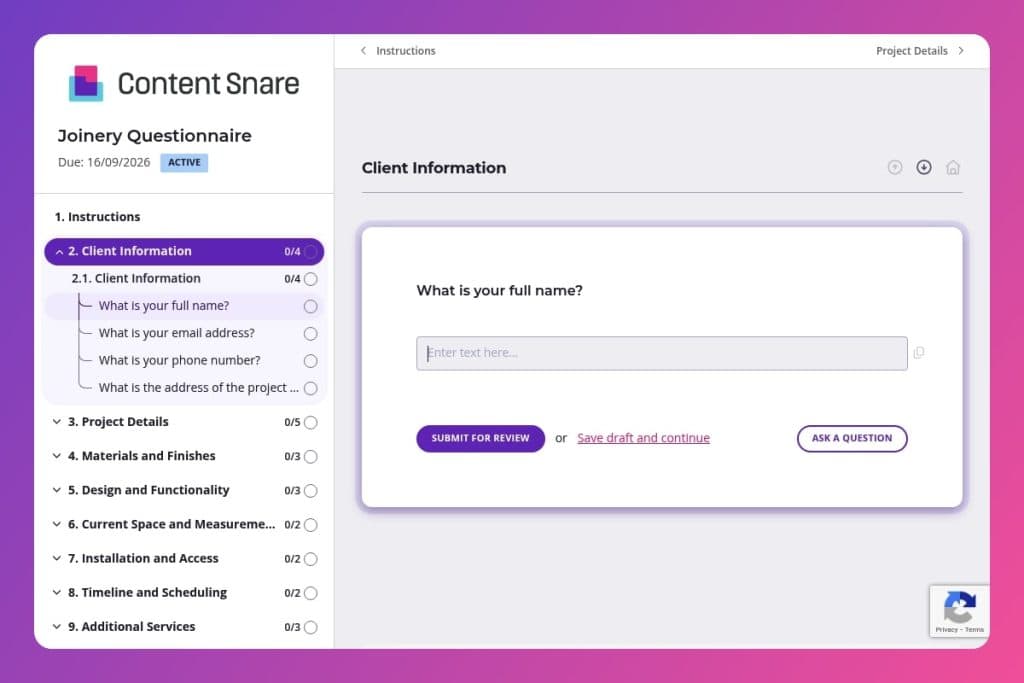


A pre-project questionnaire that captures essential details about a joinery job including project type, materials, measurements, site access, budget, timeline, and permit requirements before quoting or starting work.

Joinery professionals, custom woodworking contractors, cabinetmakers, and carpentry businesses who need comprehensive client information to prepare accurate quotes and avoid costly miscommunication.

Send this immediately when a potential client expresses interest, before the first site visit, so you arrive prepared with their budget, material preferences, and project scope already documented.
How many times have miscommunication with a client derailed a joinery project before you even got started? Missing measurements, unclear material preferences, forgotten budget constraints - these gaps cost you time and money on every job.
A joinery questionnaire solves this problem upfront. It captures every critical detail - from project scope and material specs to site access restrictions and permit requirements - before you quote or break ground. This post covers what a solid joinery questionnaire should include, how to use it effectively with clients, and gives you a free template to start with. Let's get into it.
Client Information
Capture baseline contact and site details to set up files and schedule surveys.
Project Details
Define the engagement at a high level to qualify fit and estimate effort.
Materials and Finishes
Surface material choices and finish requirements early to price accurately and manage lead times.
Design and Functionality
Gather performance and aesthetic drivers to shape concepts and hardware selections.
Current Space and Measurements
Secure dimensional data and site constraints to reduce rework and confirm feasibility.
Installation and Access
Plan logistics and prelims to avoid delays on site.
Timeline and Scheduling
Align production and site calendars.
Additional Services
Scope ancillary deliverables to present a complete proposal.
Budget and Payment
Set commercial terms upfront.
Communication and Updates
Agree on cadence and channels to streamline approvals and minimize churn.
Feedback and Expectations
Surface prior experiences and success criteria to tailor delivery and avoid repeat pain points.
Permissions and Regulations
Confirm compliance obligations to prevent stoppages and rework.
Miscellaneous
Capture anything not covered that could affect scope, risk, or delivery.
Send it before your first site visit: Get the joinery questionnaire to your client as soon as they express interest. You'll show up to the initial meeting already knowing their budget range, material preferences, and whether they need demolition work - which means you can spend that time discussing solutions instead of gathering basics.
Use the measurements section as a conversation starter, not a roadblock: Most clients won't have exact dimensions or blueprints when they first reach out. That's fine. The question about measurements and existing structures prompts them to think about their space, and if they leave it blank, you have a clear reason to schedule a site survey. Either way, you're moving forward with purpose.
Review their previous experience answer carefully: The question about past joinery projects tells you more than just history - it reveals how they communicate, what went wrong before, and what they're worried about now. A client who mentions "poor communication" in their previous experience needs frequent updates. Someone burned by cost overruns wants that detailed breakdown upfront. Tailor your approach based on what they share here.
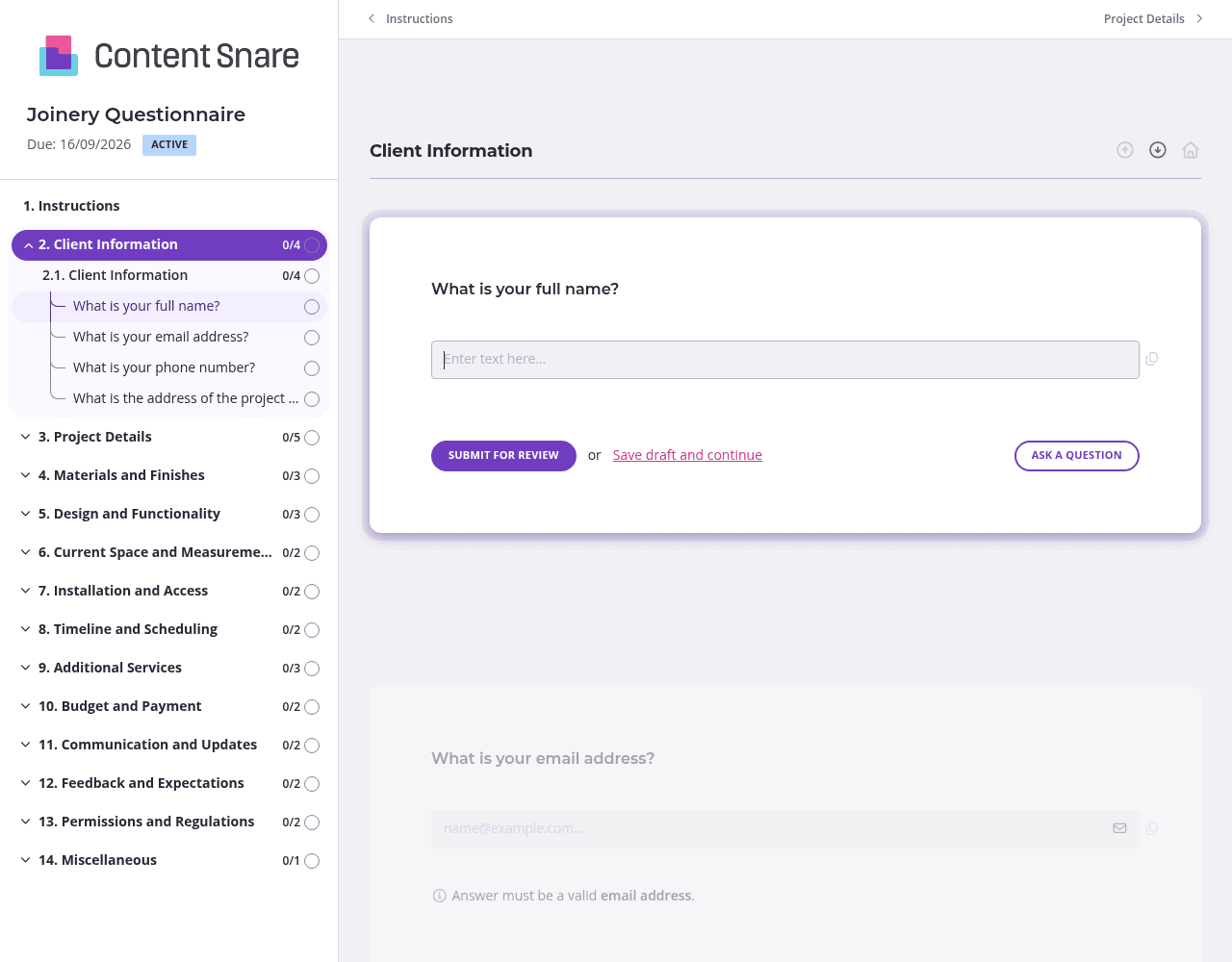
You've likely collected basic contact details when the client first reached out. Delete or pre-fill those fields before sending the form. Skip the "What is your full name?" and "What is your email address?" questions entirely - your client already told you this information. They'll appreciate not repeating themselves, and you'll get to the questions that actually matter faster.
The "Current Space and Measurements" section asks clients for dimensions and blueprints - information they might not know how to provide. Upload a quick video showing how to measure a space properly, or add a screenshot example of what a useful room photo looks like. A 30-second clip demonstrating how to measure for cabinetry prevents back-and-forth corrections later. Clear instructions here mean accurate data the first time.
Different joinery projects need different information. A custom kitchen renovation requires detail about existing utilities and demolition needs, while built-in shelving doesn't. Set up conditional logic so when a client selects their project type, they only see relevant follow-up questions. Someone choosing "wardrobes" doesn't need to answer questions about countertop materials or plumbing considerations. The form stays focused and your client doesn't wade through irrelevant fields.
Clients get distracted - especially when you're asking them to hunt down measurements, check permit status, or gather design inspiration photos. Automatic reminders keep your questionnaire moving without you playing follow-up cop. Content Snare nudges clients at intervals you choose, so that joinery questionnaire gets completed even when you're focused on active job sites.
Email threads and PDF forms create chaos. Clients forget to answer questions, attachments get lost, and you're left chasing down the same information three times. Content Snare eliminates that friction. Your joinery questionnaire sits in one place, clients can save progress and return later, and you see exactly what's complete and what's still missing - no digging through inboxes required.
Thousands of businesses worldwide trust Content Snare to collect information professionally and efficiently. It integrates with tools you already use, so responses flow directly into your project management system or CRM. The platform is ISO 27001 certified, which matters when you're handling client budgets, site addresses, and project details.
Your clients get a branded, polished experience that reflects your professionalism. No generic forms with someone else's logo. Everything looks like it came from you, and automatic reminders keep things moving without awkward follow-ups.
This form is just one way construction professionals use Content Snare. You can also collect:
Content Snare adapts to however you work. One system for all the information you need to collect.


