
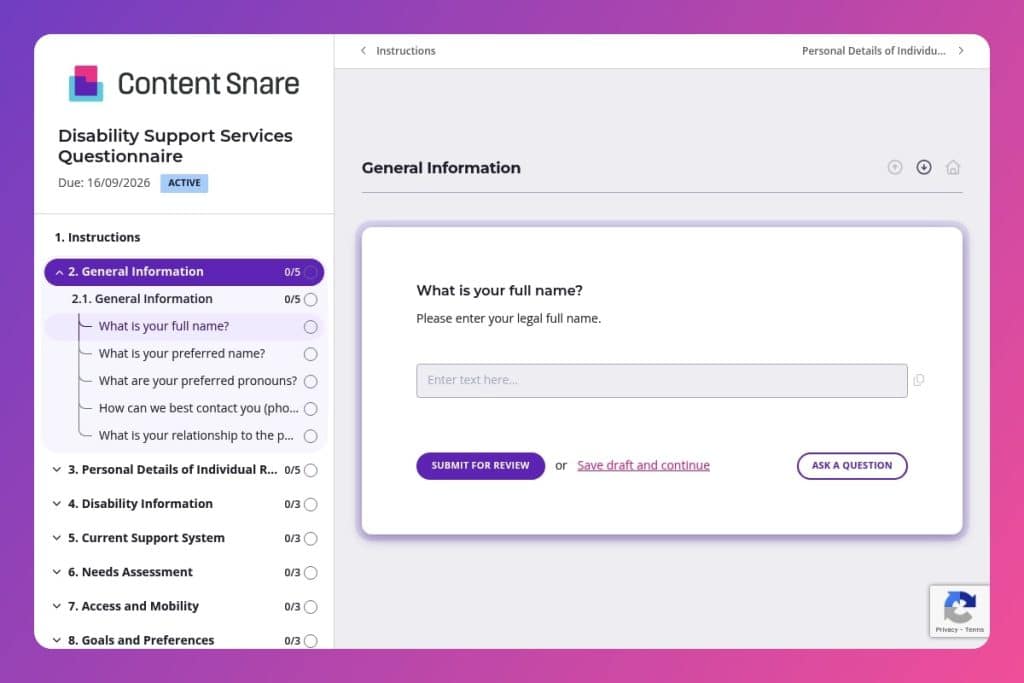


A comprehensive intake questionnaire that collects personal details, disability information, support needs, mobility requirements, goals, and emergency contacts from families seeking disability services.

Nonprofit staff conducting client intake for disability support programs who need to gather sensitive information about accessibility needs, current support systems, and individual goals before the first meeting.

Send this before initial consultations to give families time to compile medical records, emergency contacts, and thoughtfully consider their goals without the pressure of an in-person intake conversation.
Every nonprofit knows the challenge: you need detailed, sensitive information to deliver effective disability support - but lengthy intake processes can overwhelm families already navigating complex systems. Miss critical details about communication needs or emergency contacts, and you risk gaps in care. Collect information inefficiently, and you waste staff time that could be spent supporting clients.
A disability support services questionnaire streamlines your intake process while gathering everything from mobility requirements to personal goals in one organized flow. This post covers what makes an effective questionnaire, practical tips for implementation in your nonprofit, and a free template you can customize. Here's what you need to know.
General Information
Use this group to identify the primary contact and preferred communication channels, and to understand their connection to the person receiving services.
Personal Details of Individual Requiring Support
Confirm identity, demographics, and communication context for the person receiving support.
Disability Information
Establish diagnostic context and relevant comorbidities to scope service design and risk.
Current Support System
Map existing formal and informal supports to coordinate and prevent duplication.
Needs Assessment
Pinpoint requested services, priority domains, and any gaps to guide triage.
Access and Mobility
Surface mobility, transport, and accessibility requirements that affect delivery logistics.
Goals and Preferences
Align the plan with the individual’s goals, interests, and engagement preferences.
Emergency Information
Capture critical contacts, allergies, medications, and any existing emergency plan.
Feedback and Expectations
Set expectations and leverage prior experience to calibrate service approach.
Consent and Confidentiality
Document consent and privacy boundaries to satisfy legal, ethical, and contractual requirements.
Send the form before your first meeting: Give families time to gather medical records, diagnosis dates, and emergency contact information without pressure. They'll appreciate not scrambling for details during an already emotional intake conversation.
Frame communication needs and pronouns as standard practice: By asking about preferred names, pronouns, and specific communication needs upfront, you normalize accommodations and set an inclusive tone. This signals respect and helps staff prepare appropriate support strategies from day one.
Use the goals and preferences section as a conversation starter: Don't just collect this information - reference it directly when you meet. Asking families to articulate personal aspirations and activity interests gives you powerful insight into what success looks like for them, not just what services you typically offer.
Follow up on "unmet needs" responses immediately: When someone indicates current gaps in support, that's your cue for urgent outreach. These responses often reveal the most critical pain points and opportunities where your nonprofit can make an immediate difference.
Create a review checklist from emergency information: After submission, verify that emergency contacts, allergies, and medication needs are complete and accurate. This section requires double-checking - it's too important to assume the form captured everything correctly on the first pass.
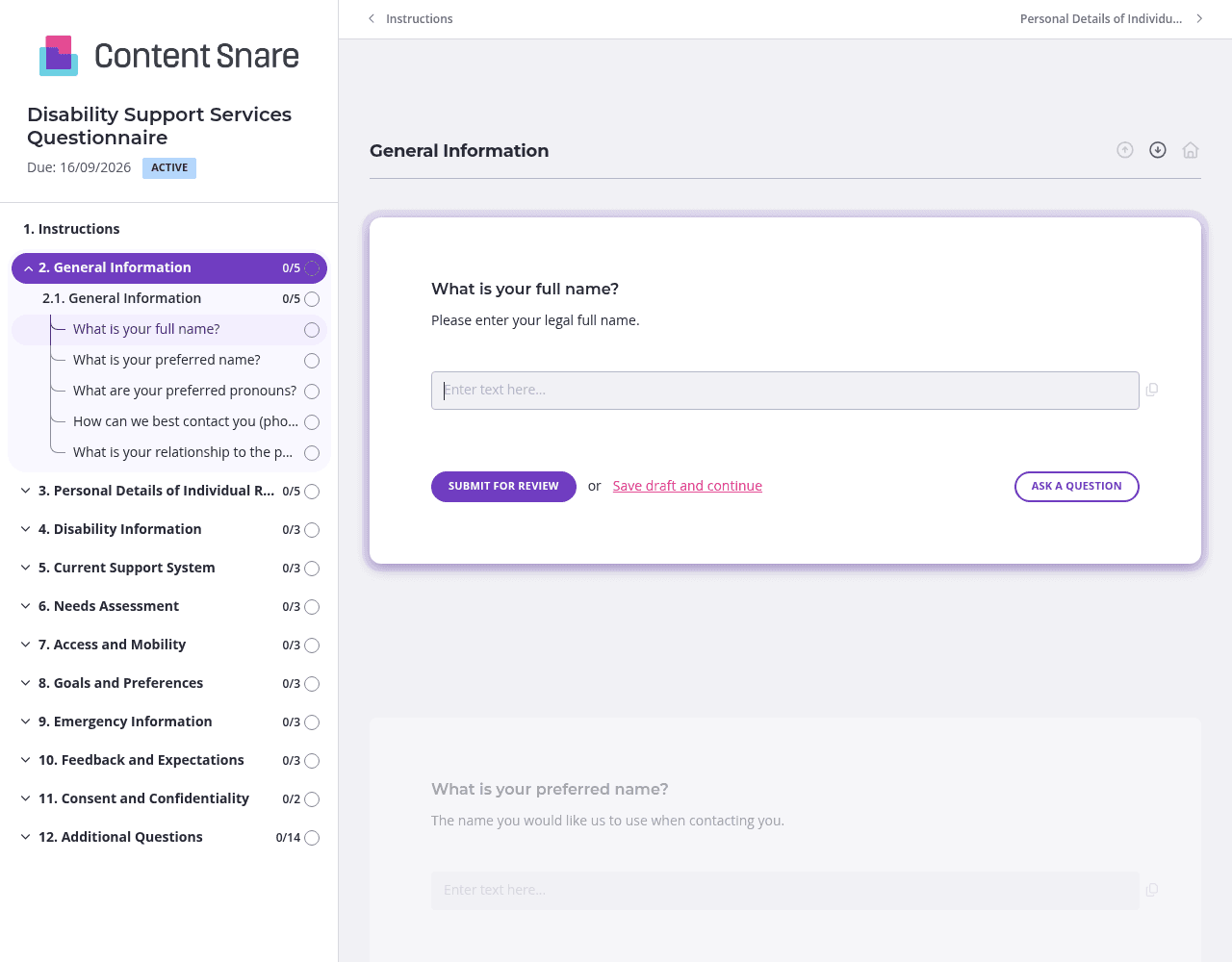
Not every family needs to answer questions about caretakers, mobility aids, or past service experiences. Set up conditional paths based on early responses - if someone indicates the individual lives independently, skip caretaker questions. If they select specific disability types, show only the relevant accommodation questions. You reduce overwhelm and respect their time by keeping the questionnaire focused on what actually matters for their situation.
The disability information and consent sections can feel clinical or confusing on paper. Record a short video explaining why you're asking about diagnosis dates, health conditions, and privacy concerns. A friendly face walking families through these sensitive questions builds trust and reduces anxiety. They'll understand you're asking because you care, not just checking boxes.
Families contacting you have likely shared basic details through phone calls or referral forms. Pre-populate fields like names, contact preferences, and relationship to the individual before sending. This shows you've been paying attention and dramatically shortens their workload. They can focus energy on the deeper questions about goals, unmet needs, and support preferences that truly require their input.
Intake forms often stall because families need time to gather medical information or discuss goals together. Automatic reminders keep the process moving without you having to send "just checking in" emails that feel pushy. Schedule gentle follow-ups that acknowledge the form takes effort - your clients stay on track, and you avoid becoming the person who nags during an already stressful time.
Email threads and PDF forms create chaos when you're collecting sensitive disability information. Families lose track of what they've submitted, staff chase incomplete responses, and critical details about medication needs or emergency contacts slip through the cracks. Content Snare keeps everything organized in one place with automatic progress tracking and reminders that do the follow-up for you.
You're collecting deeply personal information about health conditions, communication needs, and family situations. Content Snare is ISO 27001 certified and trusted by nonprofits handling confidential client data every day. Families can submit information knowing it's secure, and your team maintains compliance without added complexity.
The platform integrates with tools you already use - your CRM, case management software, and communication platforms. Information flows directly where you need it, eliminating manual data entry and the errors that come with it.
Hundreds of 5-star reviews across G2, Capterra, and Trustpilot highlight what matters most to nonprofits: ease of use, reliability, and support that actually helps. You don't need technical expertise to set up forms that feel professional and compassionate.
This questionnaire is just one application. Nonprofits use Content Snare for volunteer onboarding forms, grant application intakes, program registration questionnaires, donor information collection, and beneficiary assessment forms - any scenario where you need complete, accurate information from people who are already stretched thin.


