
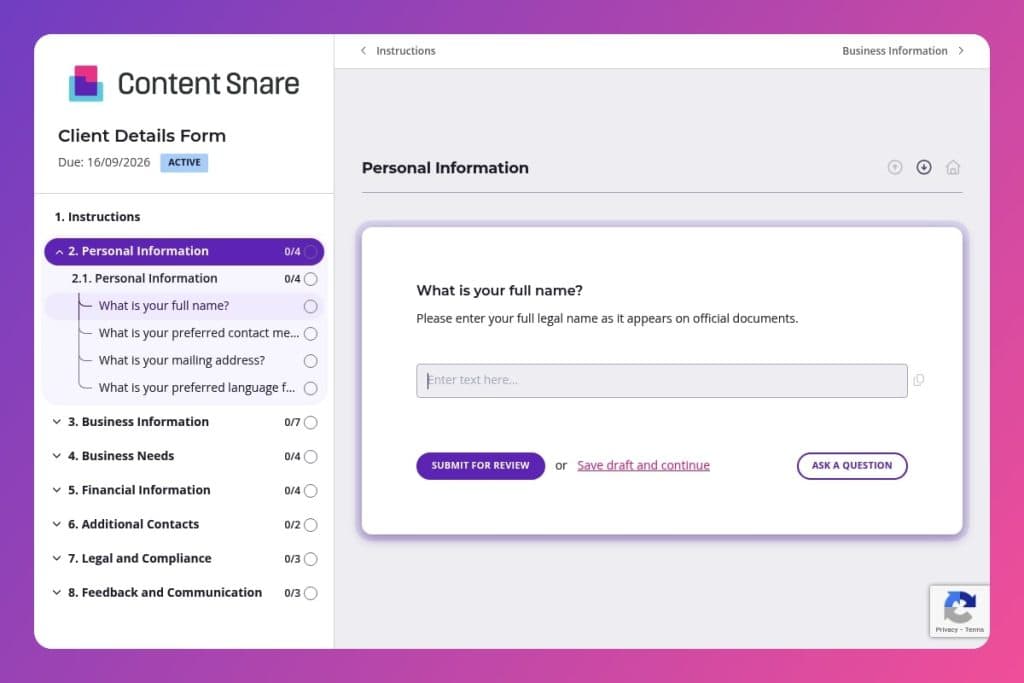


A standardized intake form that collects essential client information including personal contacts, business structure, project objectives, financial details, and compliance requirements in one organized questionnaire.

Professional service providers, consultants, agencies, and B2B companies across all industries who need to gather comprehensive client information during the onboarding process.

Send immediately after a prospect commits to working with you but before the project kickoff meeting to capture all necessary details upfront and eliminate information-gathering delays.
How much time does your team waste chasing down basic client information? Scattered emails, incomplete spreadsheets, and endless back-and-forth conversations drain resources before real work even begins. Missing contact details, unclear billing information, and unknown compliance requirements create bottlenecks that delay projects and frustrate everyone involved.
A client details form solves this problem. One standardized form captures everything you need upfront - contact preferences, business structure, project goals, budget parameters, and key decision-makers. This post covers what a client details form should include, how to use it effectively in your onboarding process, and provides a free template you can customize immediately. Let's dive in.
Personal Information
Capture core contact details so your team can reach the client reliably and maintain accurate records.
Business Information
Establish the company profile to inform scoping, approvals, and pricing.
Business Needs
Clarify objectives, constraints, and context to shape scope and define success.
Financial Information
Collect billing and compliance details to set up invoicing without delays.
Additional Contacts
Identify stakeholders and backup contacts to keep work moving.
Legal and Compliance
Flag regulatory posture and any legal constraints that affect delivery and contracting.
Feedback and Communication
Set expectations for cadence and channels to maintain alignment.
Send it at the right moment: Timing matters. Share your client details form immediately after a prospect agrees to move forward, not during initial sales conversations. You'll get more complete responses when clients have already committed and understand why you need this information.
Pre-fill what you already know: If you've had preliminary discussions, don't make clients repeat themselves. Fill in their business name, industry, or main objectives before sending the form. This shows you've been paying attention and cuts down their workload, making completion more likely.
Break the financial questions delicately: The tax identification number and revenue questions can feel intrusive to new clients. Add a brief note explaining exactly why you need this information - whether it's for contracts, compliance, or payment processing. Transparency reduces hesitation and improves response rates on sensitive fields.
Use responses to personalize your kickoff: Don't let completed forms sit in a folder. Review the business challenges, past experiences, and communication preferences before your first official meeting. Reference specific details they shared - it demonstrates professionalism and sets the tone for a client relationship built on attention to detail.
Flag incomplete submissions immediately: When a client skips critical sections like additional contacts or compliance information, reach out within 24 hours. A quick call works better than email for sensitive gaps. Frame it as helping them - "I noticed the compliance section was blank; happy to jump on a call if those questions need clarification."
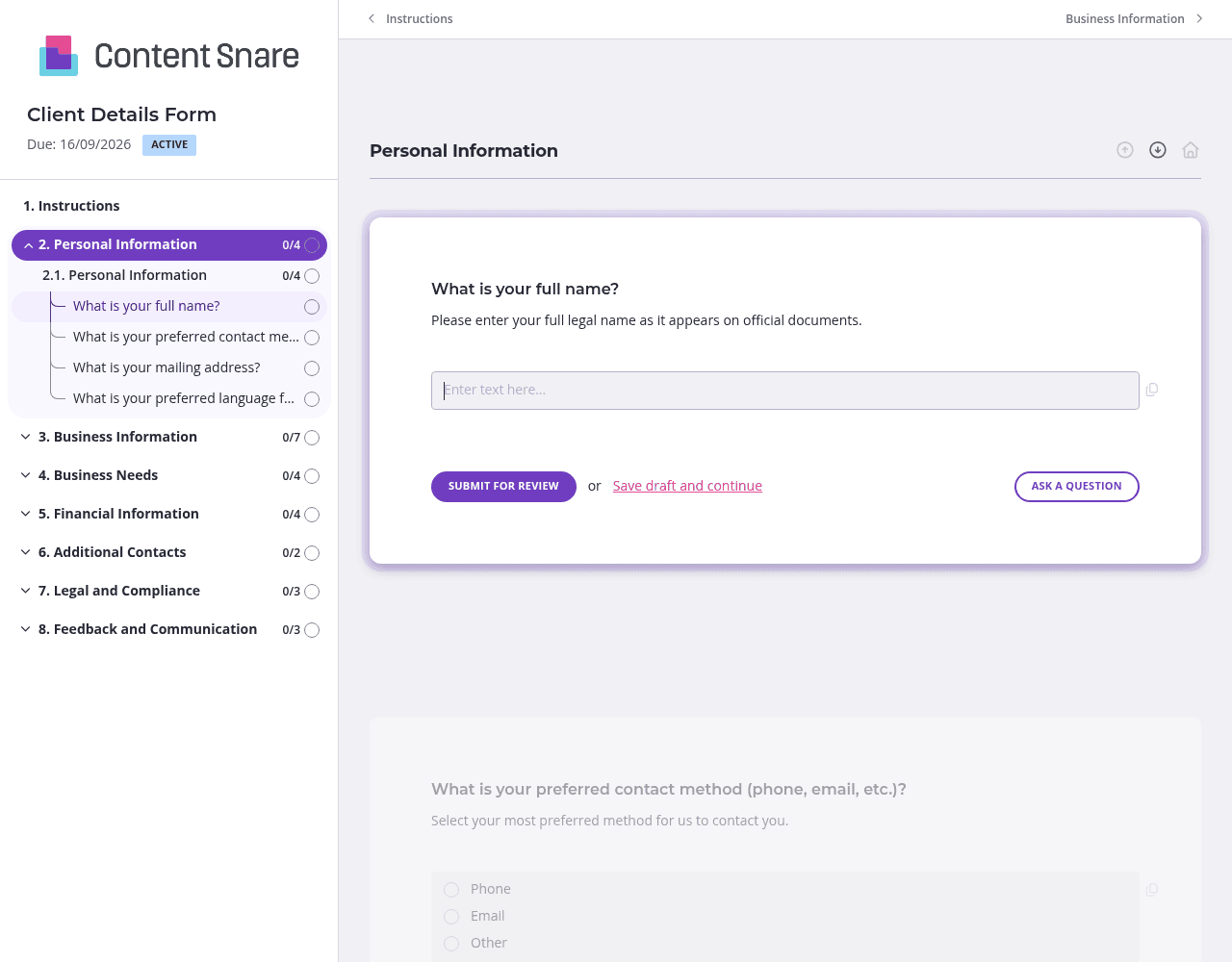
Your client details form covers a lot of ground - personal info, business structure, financials, compliance, and communication preferences. That's overwhelming as a single endless scroll. Split it into separate pages: one for contact information, another for business details, a third for project needs and goals, and a final page for legal and financial items. Clients can tackle one section at a time, save progress, and return later. You'll see higher completion rates when the form feels manageable instead of daunting.
Questions about tax identification numbers, compliance status, and budget constraints often get skipped - not because clients are lazy, but because they're unsure what you need or why. Use instruction areas above these sections to explain your reasoning. A simple "We need your EIN for contract purposes and vendor setup" eliminates confusion. You can also embed a short video explaining the financial and legal sections, walking clients through what information to gather before they start filling things out.
Clients have good intentions but short memories. Someone starts filling out your form, gets pulled into a meeting, and forgets to finish. Automatic reminders handle the follow-up without you lifting a finger or feeling like you're pestering people. Set reminders to go out after three days, then again after a week. The system tracks who's completed what sections, so reminders only go to people who actually need them. You stay top of mind without being the bad guy.
You've already talked through their business name, industry, primary challenges, and project timeline during sales conversations. Don't make clients re-enter what you already know. Pre-fill those fields before sending the form, or delete questions that no longer apply to this specific client. It cuts their workload in half and shows you've been paying attention. Clients appreciate the personalized touch, and you get faster turnaround on the information you're actually missing.
Email threads lose attachments. Spreadsheets get outdated the moment you share them. PDFs sit unopened in inboxes. Content Snare replaces this chaos with a single, trackable form that clients can't ignore - and you don't have to chase.
You get automatic follow-ups that remind clients without awkward emails from you. Real-time progress tracking shows exactly who's filled out what. Pre-filled fields eliminate repetitive data entry, and clients can save their progress and return later. Everything lives in one organized place instead of scattered across platforms.
Content Snare is ISO 27001 certified and trusted by thousands of businesses worldwide to handle sensitive information like tax IDs, revenue figures, and compliance documentation. It integrates seamlessly with tools you already use - your CRM, project management software, and cloud storage. Hundreds of 5-star reviews across G2, Capterra, and Trustpilot confirm what users already know: it's the most efficient way to collect information from clients.
This client details form is just the beginning. Businesses also use Content Snare for:


