
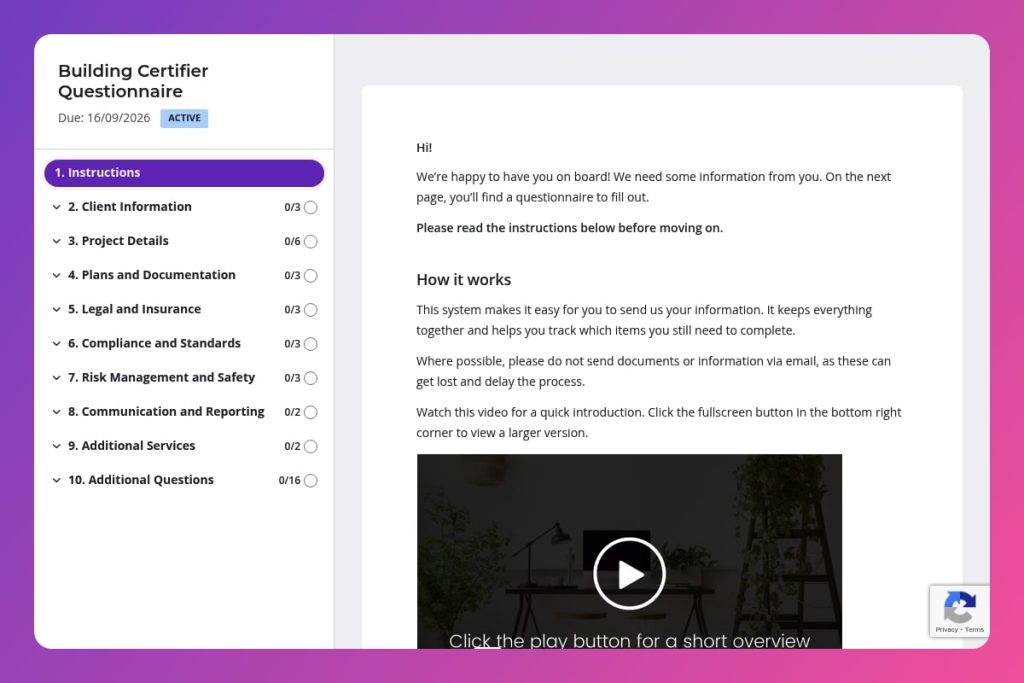


A pre-certification questionnaire that collects client details, project specifications, plans, permits, insurance documentation, compliance requirements, and safety measures before building certification work begins.

Building certifiers, construction project managers, and certification consultants who need to gather complete project information from property owners, developers, and builders before commencing certification assessments.

Send this immediately after a client expresses interest in certification services and before the initial consultation, allowing time to identify missing approvals, documentation gaps, or compliance issues that could delay the certification process.
Chasing missing approvals, tracking down outdated plans, and clarifying compliance requirements - these delays cost your construction project time and money. When critical information isn't gathered upfront, building certification becomes a frustrating back-and-forth that stalls progress and creates costly rework.
A building certifier questionnaire solves this problem by capturing all essential details before certification begins. You'll learn what information to include, how to structure questions for maximum clarity, and get access to a free template you can customize. Let's dive in.
Client Information
Capture legal entity, primary contact, and billing details to set up the project and issue agreements.
Project Details
Define the site, program, building class/use, constraints, and budget to scope the certification pathway.
Plans and Documentation
Verify design artefacts and statutory clearances are available for assessment.
Legal and Insurance
Confirm coverage and identify constraints that could impede certification or expose you to liability.
Compliance and Standards
Pin down the code path, accessibility obligations, and sustainability targets that drive assessment criteria.
Risk Management and Safety
Establish WHS controls and project risk posture that affect site access and inspection scheduling.
Communication and Reporting
Set expectations on cadence and points of contact to avoid delays and drop-offs.
Additional Services
Surface opportunities for value-add and any flags that warrant scope adjustments.
Send it before the initial consultation: Get the building certifier questionnaire to your client as soon as they express interest. This gives them time to gather plans, permits, and insurance documents without feeling rushed. You'll arrive at your first meeting with everything you need to provide an accurate quote and timeline.
Break it into stages for complex projects: Large commercial or industrial builds can overwhelm clients with information requests. Consider splitting the questionnaire into two parts - client details and project overview first, then compliance and documentation requirements after the initial review. This keeps momentum going and prevents form abandonment.
Flag the documentation section early: Most delays happen when clients realize they're missing council approvals or environmental assessments halfway through certification. Call out the Plans and Documentation questions upfront, so clients know exactly what paperwork to locate before they start filling out the form.
Use responses to spot red flags immediately: Review submissions for gaps in the Legal and Insurance section or vague answers about existing structures on site. These often signal complications that need discussion before you commit to timelines or pricing.
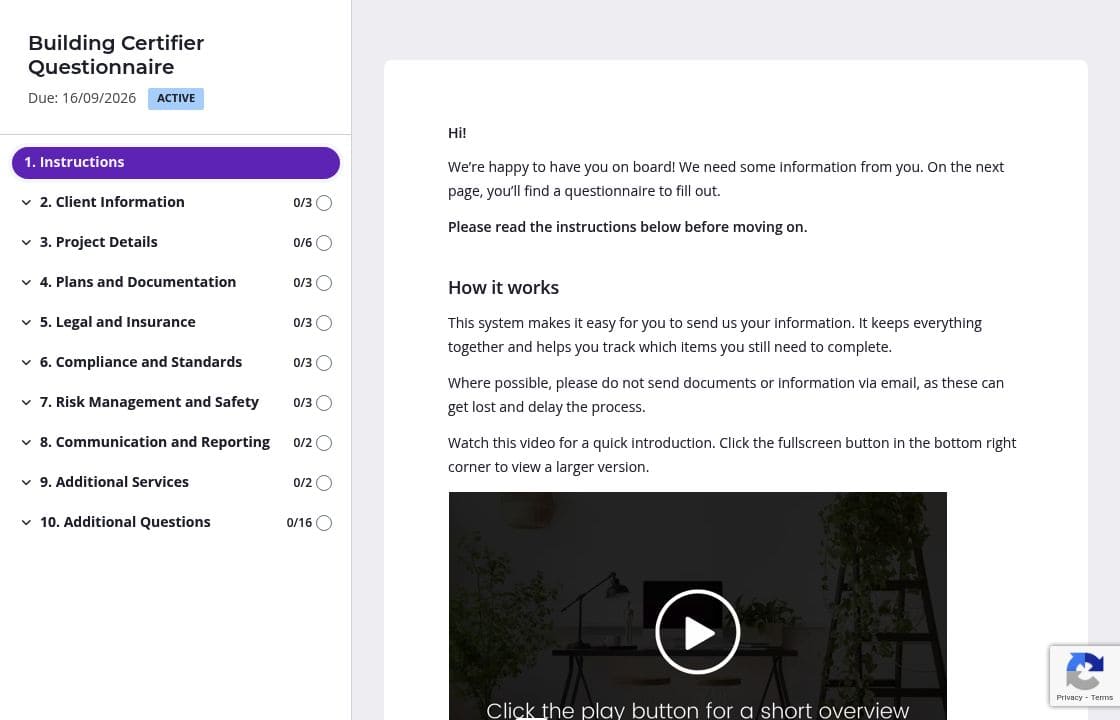
The building certifier questionnaire covers everything from project details to risk assessments - that's a lot for clients to process at once. Split it into separate pages: Client Information, Project Details, Documentation, Compliance, and so on. Clients can save progress and return later, which is especially helpful when they need to track down council approvals or insurance certificates. They'll feel less overwhelmed, and you'll get more complete submissions.
Clients often stumble on technical questions about building codes, environmental assessments, or accessibility compliance. Add brief instructions above each section explaining exactly what you need. For the Plans and Documentation section, include examples like "approved architectural drawings stamped by your architect" or "planning permit from local council." A quick explainer video at the start can also clarify what documents to gather before beginning. You'll eliminate confusion and reduce the need for follow-up questions.
Not every project needs the same information. Use conditional logic to show accessibility compliance questions only for commercial builds, or environmental impact requirements only when there are existing structures on site. This keeps the form focused and saves clients from wading through irrelevant questions. They complete it faster, and you collect cleaner, more targeted information.
Chasing clients for missing plans or permits wastes your time and delays certification. Configure automatic reminders that nudge clients when documents are outstanding. You can customize the timing and tone - gentle reminders after a few days, more urgent ones as deadlines approach. Clients appreciate the prompts, and you avoid the awkward follow-up calls while keeping projects on track.
Email chains turn into chaos fast. You're tracking which documents arrived, which version is current, and whether the client saw your last message asking for council approvals. Spreadsheets require constant manual updates and offer zero guidance for clients who don't know what "stamped architectural drawings" means.
Content Snare eliminates the mess. Clients see exactly what you need, upload documents directly to each question, and track their own progress. You get notifications when they submit something, and everything stays organized in one place. No more digging through email attachments or chasing missing insurance certificates.
The platform is ISO 27001 certified and built for security - critical when you're handling sensitive project documentation, legal agreements, and financial details. It's trusted by thousands of businesses worldwide and has hundreds of 5-star reviews across G2, Capterra, and Trustpilot.
This form is just one way to use Content Snare. Construction professionals use it across their entire workflow:
Content Snare integrates with the tools you already use - your CRM, project management software, and file storage systems. Everything flows where it needs to go without manual data entry.
The result? You spend less time chasing information and more time delivering projects. Your clients get a professional experience that builds trust from the first interaction.


