
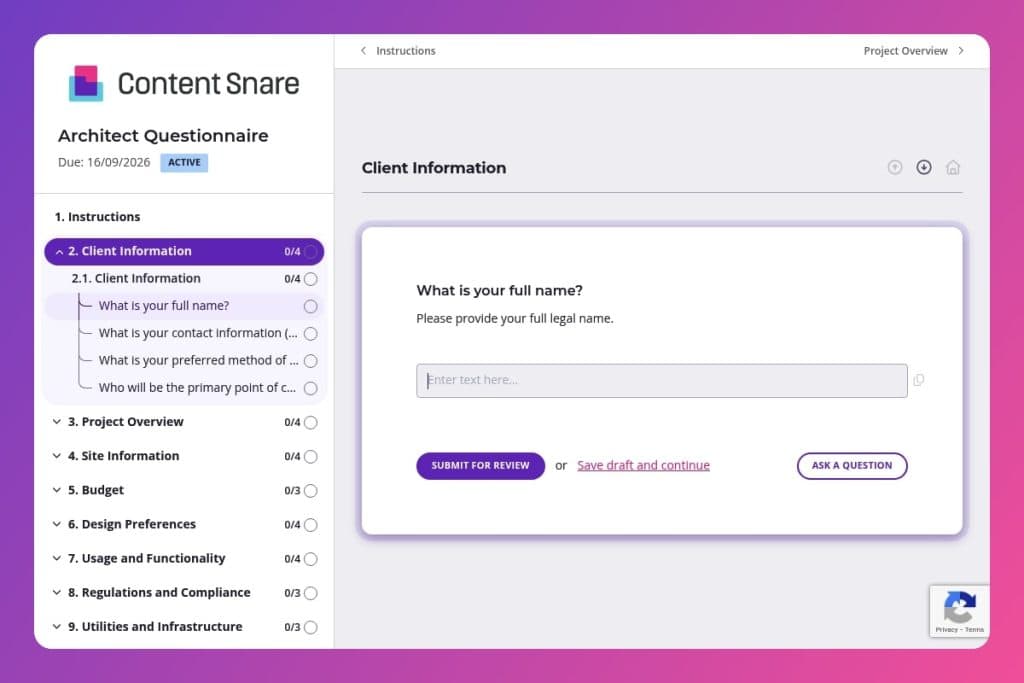


A well-structured intake form that captures essential project details including site information, budget parameters, design preferences, zoning restrictions, and stakeholder requirements before architectural work begins.

Architects, architectural firms, and design-build companies who need to qualify projects, understand client expectations, and gather technical site data during the discovery phase.

Send this questionnaire immediately after a client expresses interest and before the first consultation meeting, allowing you to review responses and arrive prepared to discuss feasibility, scope, and next steps.
A client walks into your first meeting with a Pinterest board, a vague timeline, and no clear budget. Sound familiar? These initial conversations can make or break a project - miss critical details upfront, and you're stuck with costly revisions, scope creep, and frustrated stakeholders down the line.
An architect questionnaire solves this problem by gathering essential project information before you even break ground on design work. It ensures you capture everything from site constraints and zoning restrictions to budget priorities and design preferences in one organized place. This post covers what makes an effective architect questionnaire, how to use it to streamline your discovery process, and includes a free template you can customize for your firm. Let's break it down.
Client Information
Establish core contact details and decision rights to streamline coordination.
Project Overview
Frame the project scope and timing at a high level.
Site Information
Capture constraints and existing conditions that drive feasibility and early risk.
Budget
Align on financial parameters and priorities to calibrate scope.
Design Preferences
Surface style, material, and feature preferences to guide concept development.
Usage and Functionality
Define program, occupancy, accessibility, and flow to anchor space planning.
Regulations and Compliance
Identify governing constraints and targets that shape approvals and specifications.
Utilities and Infrastructure
Confirm existing services and infrastructure choices that affect systems design and cost.
Management and Logistics
Clarify roles, stakeholders, and anticipated hurdles during delivery.
Communication and Updates
Set expectations for cadence, channels, and decision engagement.
Other Considerations
Capture adjacent services, unique factors, and contingency planning.
Send it before your first meeting: Get the architect questionnaire to potential clients as soon as they express interest, ideally 48 hours before your initial consultation. You'll arrive prepared with a clear understanding of their budget range, site constraints, and design preferences - turning that first meeting into a productive strategy session instead of a basic fact-finding mission.
Flag incomplete budget sections early: If a client skips the budget questions or writes "TBD," follow up directly before moving forward. Projects without clear financial parameters waste everyone's time. A quick phone call to discuss their ballpark figures and financing status helps you assess feasibility and prevents designing something they can't afford to build.
Use site information to spot red flags: Pay close attention to responses about site constraints, zoning restrictions, and existing structures. These answers often reveal potential deal-breakers or complications that need immediate investigation. If someone mentions steep slopes, HOA guidelines, or utility access issues, you can order surveys or contact the planning department before investing hours in preliminary designs.
Schedule a brief review call after submission: Even well-completed forms deserve a 15-minute follow-up conversation. Walk through any vague answers (especially around project objectives, must-have features, and decision-making stakeholders) and clarify anything that seems contradictory. This touchpoint builds rapport and ensures you're both aligned before drafting your proposal or entering the design phase.
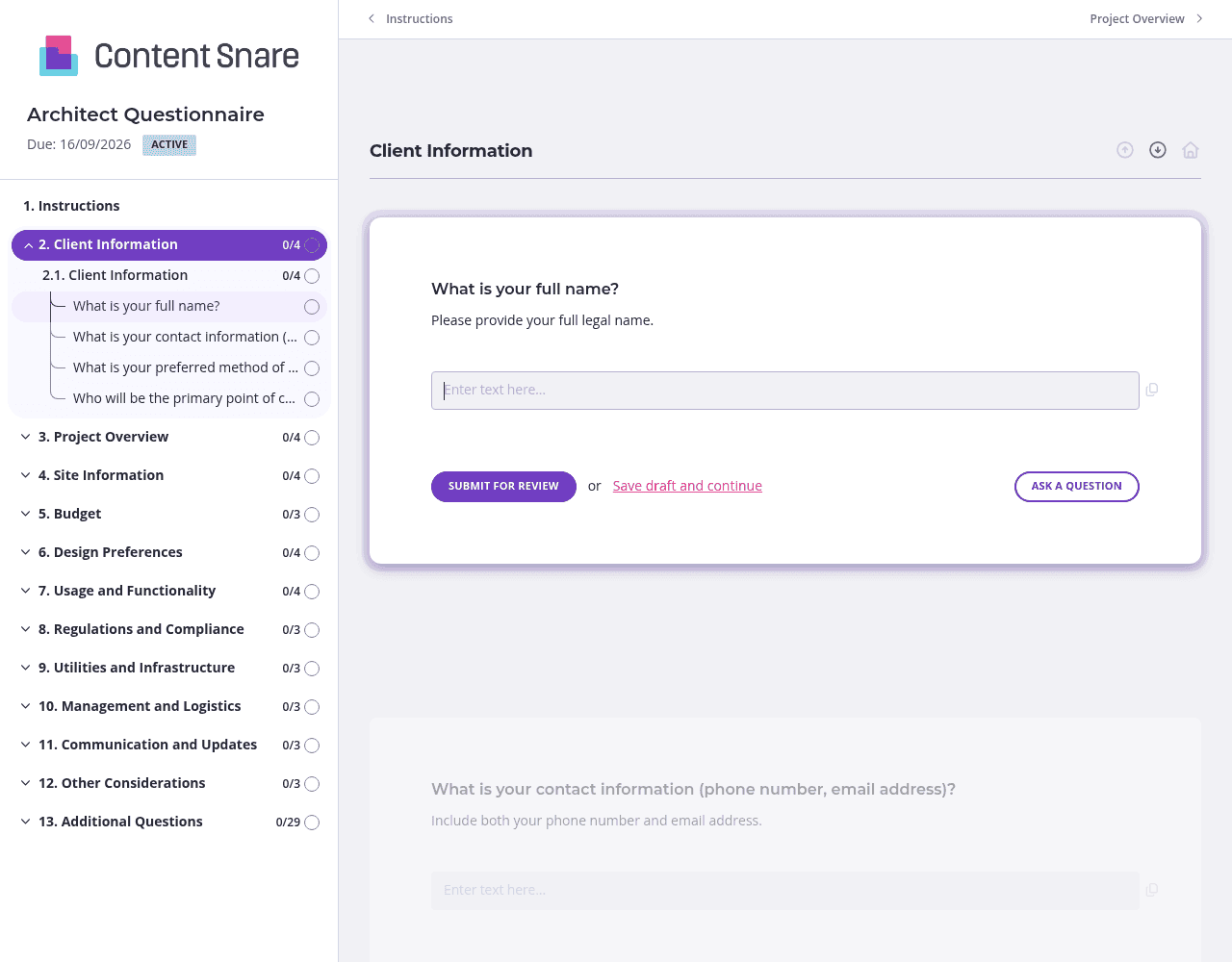
An architect questionnaire covers a lot of ground - from site surveys to sustainability goals to stakeholder management. Don't overwhelm clients with 40+ questions on a single endless scroll. Use Content Snare's page feature to organize questions into logical chunks: Client Information, Project Overview, Site & Budget, Design Preferences, and so on. Clients can save progress between sections, and you get better completion rates because the form feels manageable instead of daunting.
Budget questions make clients nervous. Zoning restrictions confuse them. Instead of getting vague answers or blank fields, add instruction text explaining why you need this information and what level of detail helps most. For the site survey question, upload a sample plot plan so they know exactly what you're looking for. For design preferences, embed a quick video walking through architectural style examples. The clearer your questions, the fewer back-and-forth emails you'll deal with later.
You're often working with clients who've contacted you through a web form or initial inquiry. They've already shared their name, email, project location, and basic project type. Don't make them repeat themselves. Delete or pre-fill those fields in Content Snare before sending your questionnaire. Jump straight into the details that matter - site constraints, budget priorities, must-have features - and respect their time. It's a small touch that makes you look organized and client-focused from day one.
Architect questionnaires need thoughtful answers, which means clients procrastinate. You shouldn't have to send awkward "just checking in" emails every few days. Set up Content Snare's automatic reminders to follow up on your behalf - gentle nudges that keep the project moving without making you the bad guy. You stay focused on design work while the system handles client follow-up professionally and consistently.
Email threads and Word documents turn client intake into chaos. Questions get missed, attachments disappear, and you're left chasing answers while deadlines loom. Content Snare eliminates the back-and-forth with a purpose-built system that tracks what's complete, what's outstanding, and automatically follows up until you have everything you need. Thousands of businesses worldwide trust it to collect information professionally - no more digging through inboxes or playing project manager before the real work even starts.
The platform is ISO 27001 certified, so you can confidently request sensitive documents like site surveys, financial details, and stakeholder information. It integrates seamlessly with tools you already use, and hundreds of 5-star reviews across G2, Capterra, and Trustpilot back up its reputation for reliability and ease of use.
This form is just one way construction professionals use Content Snare. You can also streamline:
Every process that relies on collecting information from clients, contractors, or consultants becomes faster and more organized with Content Snare.


