
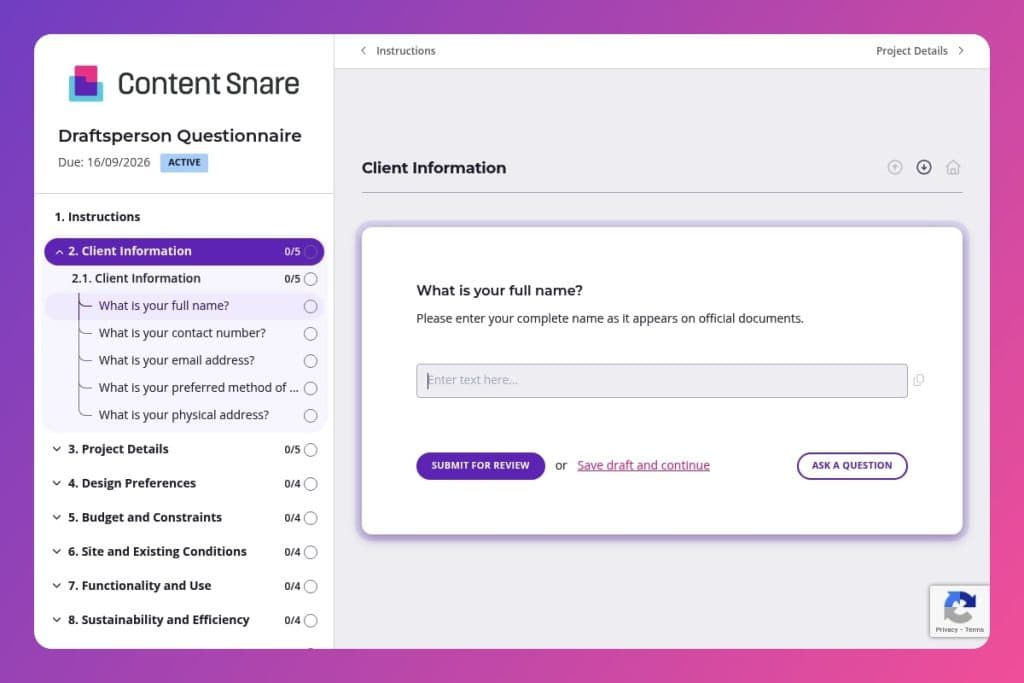


A pre-project intake form that captures site details, design preferences, budget parameters, zoning restrictions, sustainability requirements, and approval processes before drafting work begins.

Draftspersons, architectural drafters, and design professionals who need complete project information from clients to produce accurate construction drawings and avoid costly revisions.

Send this questionnaire when a new drafting project is assigned - ideally 48 hours before the first client meeting - to gather technical site data, clarify scope, and establish design direction upfront.
You've just been assigned a new drafting project. The client mentions "sustainability goals" in passing, forgets to clarify zoning restrictions, and sends over a rough sketch with no scale or site details. Sound familiar? Miscommunication at the intake stage costs you revisions, delays, and frustrated clients who expected something entirely different.
A draftsperson questionnaire solves this. It captures everything upfront - project scope, design preferences, site conditions, budget constraints, and approval processes - so you start with clarity instead of assumptions. This post covers what the form includes, how to use it effectively with clients, and where to grab a free template. Let's dive in.
Client Information
Use this to capture primary identifiers and communication preferences. These details drive how you route updates and approvals.
Project Details
Establish the site, scope, timeline, and any hard constraints, along with existing documentation you can leverage.
Design Preferences
Align on aesthetic direction and must-have elements so early concepts hit the mark.
Budget and Constraints
Bound the effort against budget, approvals, and environmental limits to avoid rework.
Site and Existing Conditions
Anchor plans to verified site data, services, and constraints.
Functionality and Use
Define program, occupancy, and performance needs that trigger layout and code requirements.
Sustainability and Efficiency
Set sustainability targets and system preferences to guide envelope, MEP, and detailing decisions.
Approval and Coordination
Clarify decision-makers, cadence, and the consultant roster to streamline reviews and handoffs.
Additional Information
Use this catch-all to surface any constraints that affect scope, risk, or schedule.
Send it before the first meeting: Get the draftsperson questionnaire to your client at least 48 hours before you sit down together. They'll have time to gather site surveys, dig up existing drawings, and think through their design preferences without the pressure of answering on the spot. You'll walk into that meeting with the project scope, budget parameters, and zoning concerns already mapped out - turning your conversation into a productive working session instead of a fact-finding mission.
Flag the tricky questions upfront: When you send the form, call out sections that might need extra attention - like existing utility placements, environmental considerations, or stakeholder approval processes. A quick note saying "Section 5 asks about site conditions - your surveyor should have this info" saves your client from getting stuck halfway through. It also signals which answers matter most for accurate drafting.
Use their answers to build your proposal: Don't let the completed questionnaire sit in your inbox. Pull specifics from their responses - intended use of the space, accessibility requirements, sustainability goals - and reference them directly in your project proposal or scope document. It shows you listened, helps justify your timeline and pricing, and creates a paper trail if scope creep becomes an issue later.
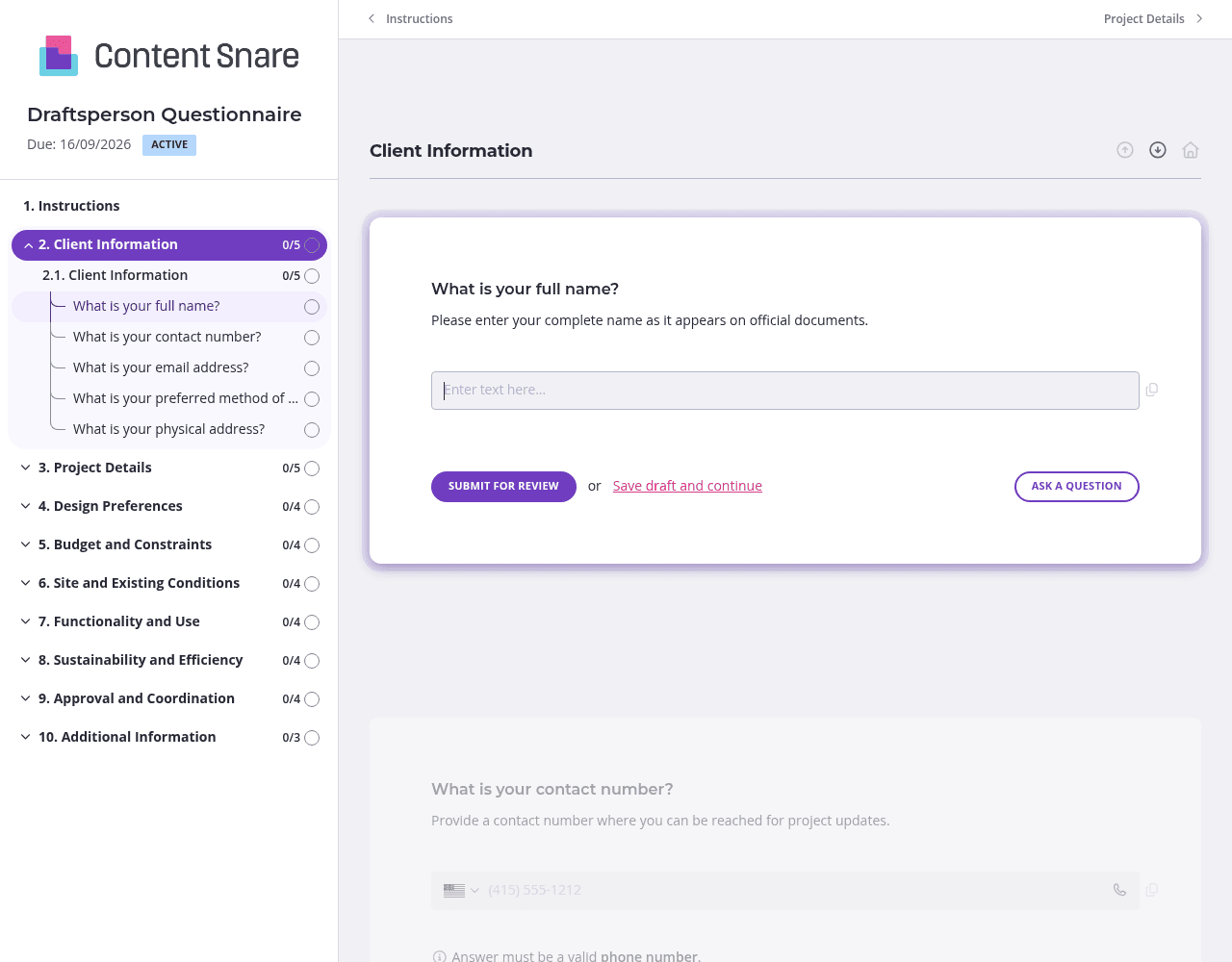
A draftsperson questionnaire covers a lot of ground - client details, site conditions, design preferences, sustainability goals, and approval processes. Dump all that into one long form and clients get overwhelmed. Content Snare lets you split questions into separate pages like "Project Details," "Site and Existing Conditions," and "Design Preferences." Clients tackle one focused section at a time, which means fewer abandoned forms and more complete answers when they hit submit.
You probably already have your client's name, email, and project address from initial conversations. Don't make them type it again. Content Snare lets you pre-fill those fields before sending the form - or delete questions entirely if they're not relevant to a particular project. A residential renovation doesn't need questions about accessibility standards for public buildings. Strip out what doesn't apply and your client sees a form that feels tailored to their situation, not a generic template.
Some questions - like "Are there any known utility placements or easements on the property?" or "Can you provide any surveys or existing site plans?" - can stump clients who don't speak construction. Content Snare gives you instruction areas where you can clarify exactly what you need. Tell them a site survey from their surveyor works, or that utility easements are usually marked on their property deed. A two-sentence explainer prevents the back-and-forth emails asking for clarification and gets you usable information the first time.
Clients have good intentions, then life happens and your questionnaire sits half-finished for two weeks. Content Snare sends automatic follow-ups so you're not manually chasing people down or feeling like you're nagging. You stay top of mind without lifting a finger, and clients appreciate the gentle nudge to keep the project moving.
Email threads turn into chaos. Clients respond with half the information, attachments get buried, and you're left stitching together answers from five different messages. Content Snare gives you one organized place to collect everything - answers, site surveys, existing drawings, and approval sign-offs - without the mess. It's trusted by thousands of businesses worldwide and has hundreds of 5-star reviews across G2, Capterra, and Trustpilot because it actually works.
Your clients get a clean, professional experience with your branding front and center. You get automatic reminders, progress tracking, and integrations with the tools you already use. Content Snare is ISO 27001 certified, so sensitive project details and client information stay secure.
The draftsperson questionnaire is just one way to use Content Snare in construction. You can also collect:
Content Snare adapts to however you work, keeping projects moving without the administrative headache.


